
A small form factor PC can be an appealing choice when desk space, room layout or a compact setup matters. However, a smaller enclosure does not automatically make a system suitable for every workload. The right choice depends on what you run, which components your software needs and how much configuration flexibility you expect over time.
This guide explains where small form factor PCs fit, where a standard desktop may be more practical and what to check before exploring the custom PC systems from XDS Computers.
What is a small form factor PC?
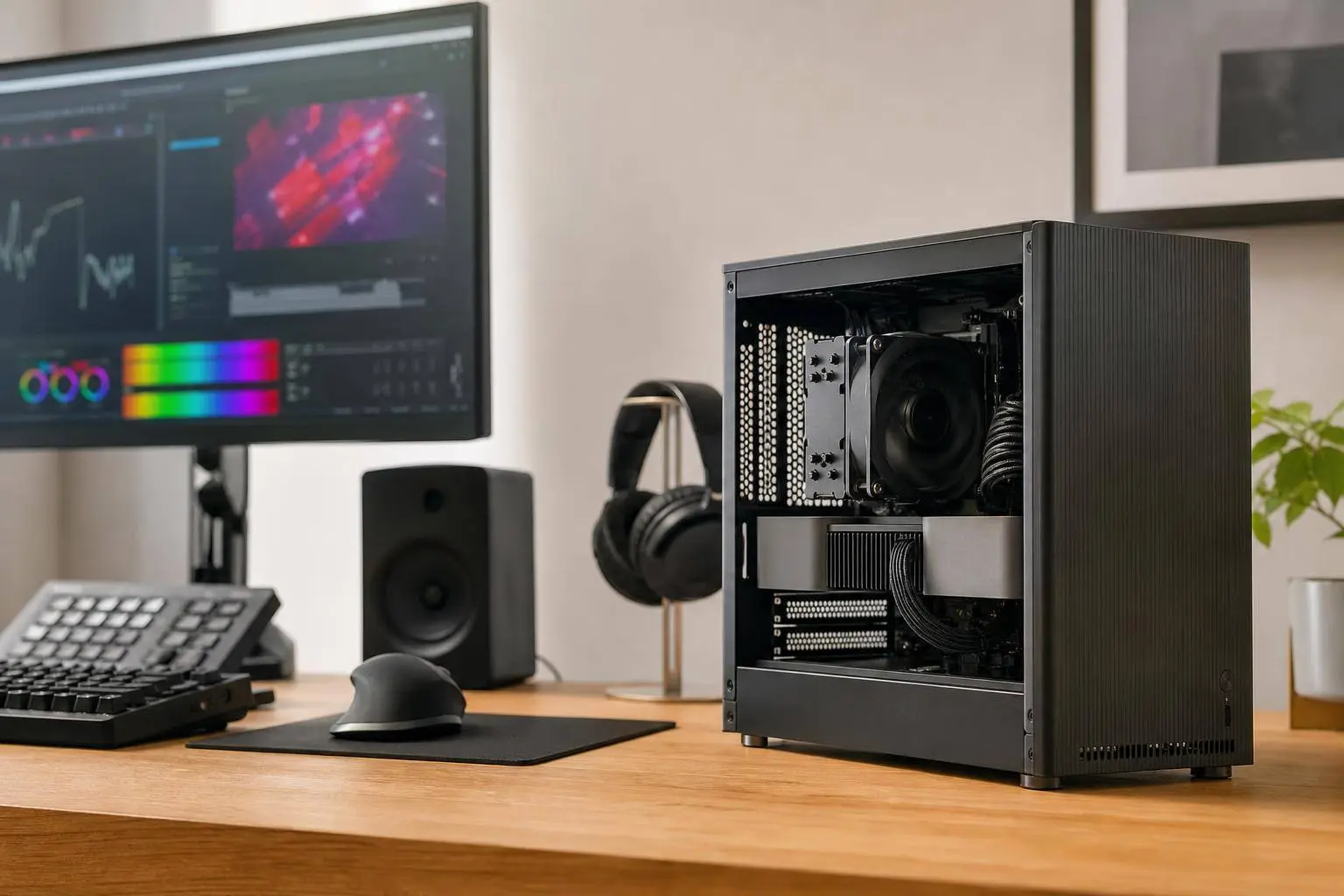
A small form factor PC is a desktop computer designed around a more compact physical footprint than a conventional tower. The exact size, internal layout and supported components vary between systems, so “small form factor” should be treated as a category rather than a single specification.
Compact systems can be configured for different purposes, including everyday computing, gaming, content creation and professional workloads. The important question is not simply whether a PC is small, but whether its configuration matches your applications and working environment.
Who is a small form factor PC suitable for?
A small form factor PC may suit you if one or more of the following apply:
- You have limited desk or studio space.
- You want a less visually dominant desktop setup.
- You are building a compact gaming, streaming or simulator station.
- You need a workstation for a home office, creative workspace or professional environment.
- You prefer to choose a system around a defined workload instead of buying a general-purpose tower.
It may be less suitable if your priority is maximum internal expansion, frequent hardware changes or the broadest possible choice of components. A larger standard desktop generally gives you more room to compare configurations, although the appropriate choice depends on the systems available and the workload involved.
Advantages of small form factor PCs
Efficient use of space
The most obvious benefit is a compact footprint. This can make it easier to plan a gaming desk, creative workstation or office setup where every centimetre matters. It can also be useful when the computer needs to sit alongside other equipment.
Workload-led configuration
A small form factor PC does not have to be limited to basic use. A suitable configuration can be considered for gaming, video editing, music production, 3D design and animation, engineering and CAD, or other specialised requirements. The key is to begin with the software and tasks rather than choosing a case first.
A focused buying decision
Compact systems encourage you to identify what matters most. For example, a gaming PC may need a different balance of processor and graphics capability from a system for video editing or an AI-oriented workstation. Defining your priorities can prevent you from paying for hardware that does not support your actual use.
Small form factor PCs for gaming
A small form factor gaming PC can be a sensible option for players who want a compact setup without abandoning desktop PC gaming. When comparing systems, consider the games you play, your display resolution, desired image quality and whether you also stream, record or run other applications at the same time.
Game requirements can vary substantially. A system selected for competitive games such as Valorant or Fortnite may have different priorities from one intended for visually demanding titles such as Cyberpunk 2077, Forza Horizon 5 or Red Dead Redemption 2. XDS Computers presents gaming systems by platform, game and price range, which can provide useful starting points for comparing requirements.
Do not judge a compact gaming PC by its appearance alone. Check the stated processor and graphics configuration, memory and storage, then consider whether those specifications match the games and settings you actually use. Performance expectations should be based on the specific configuration rather than the form factor label.
Small form factor PCs for content creation and professional work
A compact system can also be considered for content creation, but the correct configuration depends on the application. Video editing, music production, 3D design and animation each place different demands on a computer. Your choice should reflect the software you use, project complexity, file sizes and whether you work with multiple applications at once.
For example, a user working in Blender, Cinema 4D or Houdini should compare systems according to the relevant modelling, animation and rendering workload. A small form factor workstation may be appropriate when space is important, provided the selected system is presented for that type of work and its configuration meets the software requirements.
Professional users should also define their workflow before choosing a compact PC. Engineering and CAD, data science, computer vision and AI workloads may have different priorities from creative applications. If the work involves large datasets, demanding models or specialised software, compare a small form factor workstation with a larger professional system rather than assuming that every compact PC will be suitable.
Key trade-offs before choosing a compact PC
Compact design involves trade-offs. These are not automatically disadvantages, but they are questions to resolve before buying.
- Configuration choice: the smaller the system, the more important it is to check which processor, graphics, memory and storage combinations are offered.
- Future changes: if you expect to replace or add components regularly, investigate the configuration and upgrade options available for the specific system.
- Workload intensity: demanding gaming, rendering, AI and engineering tasks should be matched to a clearly stated system configuration.
- Connectivity: check that the available ports and connections fit your monitors, storage, audio equipment and other peripherals.
- Physical fit: measure your available space and consider access to the computer, cable routing and the position of connected devices.
- Comparison with larger systems: a standard desktop may offer a wider selection of configurations if compact dimensions are not essential.
Specific case dimensions, component limits and cooling behaviour should be confirmed for the individual product. They should not be inferred from the phrase “small form factor PC” alone.
What to check when configuring a small form factor PC
- Start with the workload. List the games, creative applications or professional software you plan to use.
- Identify the important tasks. Decide whether your priority is gaming, editing, rendering, simulation, CAD, AI or a combination.
- Review the complete configuration. Look beyond the processor and check the graphics hardware, memory, storage and listed platform.
- Check the physical requirements. Confirm the system will fit your intended workspace and that its connections suit your equipment.
- Compare compact and standard options. If you do not need a small footprint, a standard desktop may provide a broader configuration choice.
- Choose a system category that reflects your use. Compare gaming PCs, content-creation systems and specialised workstations rather than relying only on a general product label.
Small form factor PC or standard desktop?
| Priority | Potentially suitable direction |
|---|---|
| Limited desk or studio space | Small form factor PC |
| Game-focused compact setup | Small form factor gaming PC, subject to the specific configuration |
| Video, 3D or music workflow | Compact content-creation system if the configuration matches the software |
| CAD, AI or technical workloads | Small form factor workstation or a larger professional system, depending on requirements |
| Maximum component choice or frequent changes | Standard desktop may be easier to compare |
There is no universal winner. The best option is the one that balances space, workload, configuration and expected future use.
When a small form factor workstation may be better
Consider a small form factor workstation when your work is professional or technically specialised and the compact footprint is still important. This might include engineering and CAD, content creation, data science, computer vision or AI-related tasks.
Begin by identifying the applications, data and project sizes involved. Then compare systems presented for the relevant workload. If your requirements are unusually specific, a custom PC builder with stated experience in custom systems can be a useful place to investigate configuration routes, while still checking the final specifications carefully.
How to choose your next small form factor PC with XDS Computers
XDS Computers presents Small Form Factor PCs alongside gaming PCs, content-creation systems, specialised workstations and build-your-own options. You can use those categories to narrow your search by workload, platform or intended use.
For a straightforward decision, write down your software, games, required connections, available space and budget range first. Then compare the available system configuration with those requirements. If a compact design is not essential, review standard desktop alternatives as well. This keeps the decision focused on your needs rather than the form factor alone.
Frequently asked questions
Is a small form factor PC right for my needs?
It may be right if desk space and a compact setup matter, and if the available configuration supports your gaming, creative or professional workload. Compare the complete system rather than relying on its size.
Are small form factor PCs suitable for gaming?
They can be suitable for gaming when the processor, graphics hardware, memory and storage match the games and settings you intend to use. Requirements vary by title and configuration.
Can a small form factor PC be used for content creation?
Yes, a compact system can be considered for video editing, music production, 3D design and animation. Check that the specific configuration is appropriate for your applications and project demands.
Is a small form factor workstation suitable for CAD or AI workloads?
It may be, but CAD, AI, data science and computer-vision tasks can have specialised requirements. Compare a workstation configuration against the software, datasets and tasks involved.
What should I check before buying a compact PC?
Check the workload fit, processor, graphics hardware, memory, storage, connections, physical dimensions and the configuration or upgrade options stated for that particular system.