
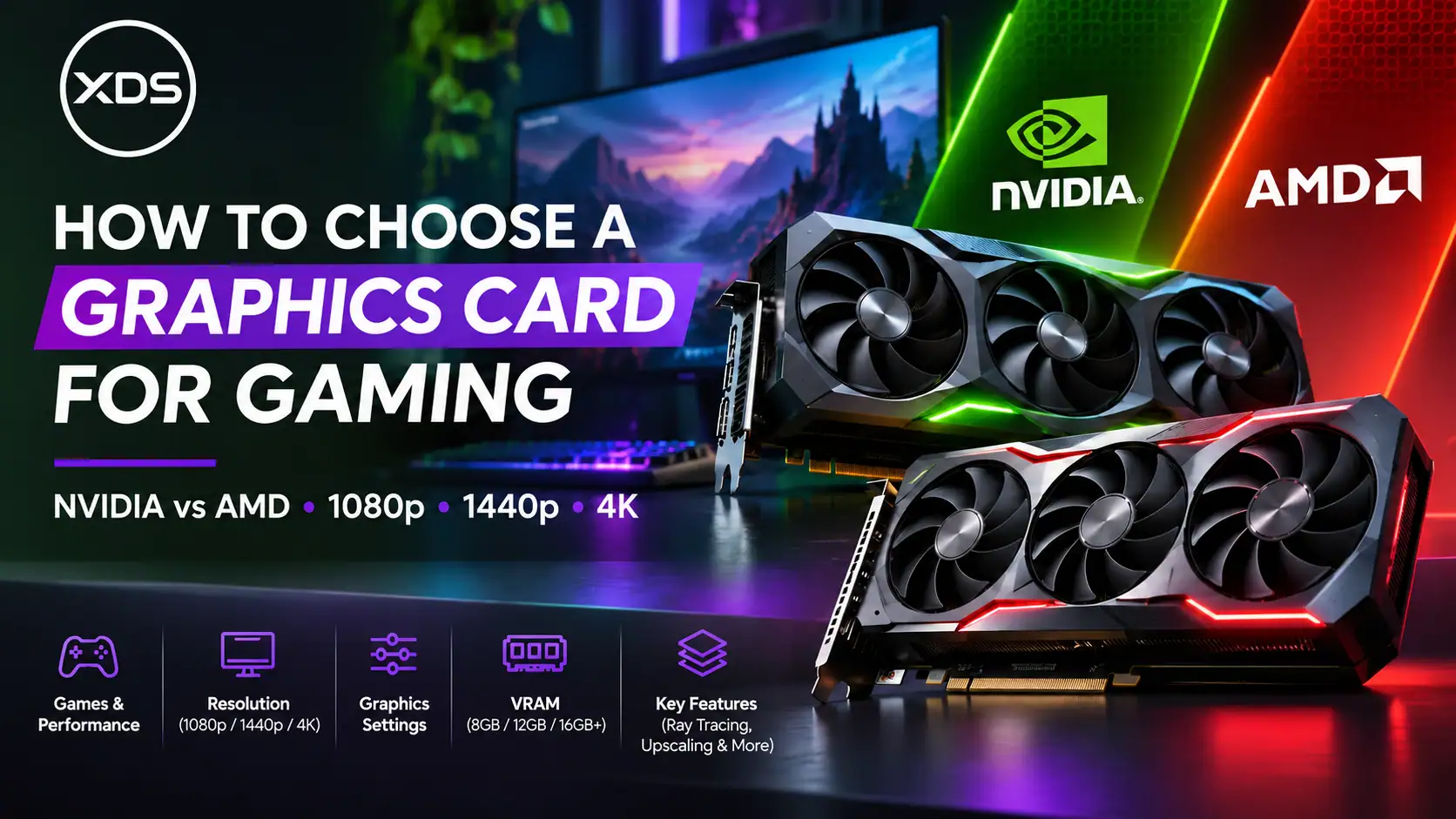
Choosing the right graphics card is one of the most important decisions when buying or configuring a gaming PC. Your graphics card, also known as a GPU (Graphics Processing Unit), has a major influence on how smoothly games run, how detailed they look and which resolutions you can comfortably enjoy.
With so many options available from NVIDIA GeForce RTX and AMD Radeon RX, choosing the best graphics card can seem confusing.
Should you choose an RTX 5060 Ti or Radeon RX 9060 XT? Is an RTX 5070 enough for 1440p gaming? Do you really need 16GB of graphics memory? And is a more expensive graphics card always better?
At XDS Computers, we believe choosing the right GPU should start with understanding your gaming requirements rather than simply selecting the most expensive model.
This guide explains how to compare graphics cards based on gaming performance, resolution, visual settings, VRAM, ray tracing and features that make a real difference.
1. Start with the Games You Play
Before comparing graphics card specifications, consider which games you play most frequently.
Different games place different demands on your hardware.
Competitive titles such as Valorant, Counter-Strike 2 and Fortnite often benefit from extremely high frame rates, particularly when paired with a 144Hz, 240Hz or faster gaming monitor.
Graphically demanding games such as Cyberpunk 2077, Alan Wake 2 and Black Myth: Wukong can place much greater demands on graphics processing, especially when ray tracing and advanced visual effects are enabled.
For example, a graphics card that delivers excellent performance in Counter-Strike 2 might struggle to maintain similarly high frame rates in a demanding AAA game at maximum settings.
Our advice: Choose a GPU based on independent benchmark results for the games you actually play, not just general performance rankings.
2. Understand Gaming Resolutions: 1080p, 1440p and 4K
Your monitor resolution directly affects how much work your graphics card must perform.
Higher resolutions contain more pixels, requiring additional graphics processing power.
1080p Gaming – Great Performance and Value
Full HD (1920 × 1080) remains a popular resolution for gaming, particularly among competitive players.
You don’t necessarily need an expensive graphics card to enjoy a smooth 1080p experience.
Suitable options include the NVIDIA GeForce RTX 5060 and AMD Radeon RX 9060 XT. More powerful cards may provide additional performance for high-refresh-rate gaming and demanding titles.
At lower graphics settings, some competitive games may become limited by CPU performance rather than GPU capability.
1440p Gaming – The Sweet Spot for Many Gamers
Quad HD (2560 × 1440) offers a noticeable improvement in visual clarity over 1080p without the extreme hardware requirements of 4K.
The NVIDIA RTX 5060 Ti 16GB and AMD RX 9060 XT 16GB are worth considering for budget-conscious 1440p gaming.
For higher graphics settings and more demanding games, the RTX 5070, RTX 5070 Ti, RX 9070 and RX 9070 XT offer stronger performance options.
4K Gaming – Maximum Detail and Immersion
4K gaming (3840 × 2160) requires substantially more graphics processing power.
For a premium 4K experience, consider GPUs such as the NVIDIA RTX 5070 Ti, RTX 5080 or AMD RX 9070 XT.
The NVIDIA RTX 5090 is another option for enthusiasts seeking top-tier performance, particularly when combining 4K gaming with demanding visual effects.
Remember that even powerful cards may require adjustments to graphics settings or upscaling to achieve consistently high frame rates in particularly demanding games.
3. NVIDIA vs AMD: Which Graphics Card Should You Choose?
Both manufacturers produce excellent gaming graphics cards, but their strengths can differ depending on your priorities.
NVIDIA GeForce RTX Graphics Cards
NVIDIA GeForce RTX cards are particularly attractive to gamers who value ray tracing, advanced AI-assisted rendering and a broad range of supported gaming technologies.
NVIDIA features include:
- DLSS Super Resolution: AI-powered upscaling designed to improve performance while maintaining image quality.
- DLSS Frame Generation: Generates additional displayed frames in supported games.
- Ray Tracing: Enables realistic lighting, shadows and reflections.
- NVIDIA Reflex: Helps reduce system latency in supported games.
- NVENC Encoding: Useful for streaming, recording and video applications.
NVIDIA RTX 50 Series graphics cards support advanced DLSS capabilities, including Multi Frame Generation on supported configurations.
AMD Radeon RX Graphics Cards
AMD Radeon graphics cards offer strong alternatives, particularly for gamers who prioritise traditional rendering performance, VRAM capacity and value.
Modern Radeon RX 9000 Series cards include features such as:
- AMD FidelityFX Super Resolution (FSR): Upscaling technology designed to improve gaming performance.
- FSR Frame Generation: Generates additional frames in supported games.
- AMD FreeSync: Helps reduce tearing on compatible displays.
- AMD Radeon Anti-Lag: Latency-reduction technology for supported games and configurations.
- AMD Software: Adrenalin Edition: Provides graphics settings, performance monitoring and driver management.
AMD’s newer FSR technologies, including its Redstone feature family, also introduce machine-learning-assisted rendering capabilities.
Which is better? Neither manufacturer is automatically the best choice for every gamer.
NVIDIA is often particularly competitive in demanding ray-traced games, while AMD can provide excellent value in traditional rendering. The difference depends on the actual graphics card models, game settings and current prices.
4. Compare Graphics Cards by Performance, Not Product Names
One common mistake when buying a graphics card is assuming that a higher model number always guarantees better gaming performance.
For example, an NVIDIA RTX 5070 and AMD RX 9070 cannot be compared fairly just by looking at their names.
Their architectures, memory configurations, power requirements and gaming performance differ.
Likewise, a graphics card with 16GB of VRAM isn’t automatically faster than one with 12GB.
When comparing two GPUs, examine:
Average FPS: The average number of frames rendered per second. Higher figures generally indicate smoother gameplay.
1% Low FPS: A measure of performance during slower frames. This can help reveal stuttering and inconsistent frame delivery that average FPS figures may hide.
Native Resolution Performance: Performance without upscaling or frame generation provides an important baseline for comparing GPUs.
Ray Tracing Performance: Particularly important if you enjoy games featuring advanced lighting and reflections.
Power Consumption: Affects power supply requirements, cooling and energy use.
Independent Benchmarks: Look for tests using the same game, resolution, graphics preset and comparable hardware.
For example, independent testing has shown that the AMD Radeon RX 9070 XT and NVIDIA RTX 5070 Ti can perform quite closely in many traditionally rendered games, while their relative performance changes in different ray-tracing workloads.
This is why real-world testing matters far more than product naming.
5. How Much VRAM Do You Really Need?
VRAM, or Video Random Access Memory, stores graphics-related data such as textures, frame buffers and other assets needed by the GPU.
The amount of VRAM available can affect performance, particularly when playing demanding games with high-resolution textures.
| VRAM capacity | General gaming suitability |
|---|---|
| 8GB | 1080p gaming, with some settings compromises in demanding titles |
| 12GB | Strong 1080p and capable 1440p gaming |
| 16GB | Excellent headroom for demanding 1440p games and many 4K workloads |
| 24GB–32GB | Specialist high-end gaming, creative and GPU-intensive workloads |
These are general guidelines rather than guaranteed performance levels.
For example, an 8GB graphics card may run many modern games perfectly well at 1080p. However, demanding games using high-resolution textures or ray tracing can require more memory.
When a game exceeds available VRAM, performance can become inconsistent, sometimes resulting in stuttering, texture-loading problems or reduced frame rates.
A 16GB card offers more flexibility, but overall GPU processing performance remains equally important.
Our recommendation: For a new mid-range gaming PC intended for long-term use, a 16GB GPU is worth considering when the price difference is reasonable.
6. Choose the Right Graphics Settings
Modern PC games offer numerous graphical settings that can dramatically affect performance.
The most common presets are Low, Medium, High and Ultra.
Ultra settings may provide improved visual details, but the difference compared with High settings isn’t always noticeable during gameplay.
Some settings, including shadows, reflections, volumetric effects and ray tracing, can consume substantial GPU resources.
For competitive gaming, prioritising high frame rates and responsive controls may be more beneficial than enabling every visual effect.
For story-driven and cinematic games, higher graphics settings may create a more immersive experience.
A balanced approach is often best.
Rather than automatically using Ultra settings, experiment with a High preset and selectively increase the features that matter most to you.
7. Ray Tracing, DLSS and FSR Explained
Ray tracing simulates how light interacts with objects and surfaces, enabling more realistic reflections, shadows and illumination.
Games such as Cyberpunk 2077 and Alan Wake 2 demonstrate how advanced lighting techniques can improve visual realism.
However, ray tracing can significantly increase the workload placed on your GPU.
This is where technologies such as NVIDIA DLSS and AMD FSR become useful.
What Is Upscaling?
Upscaling allows a game to render internally at a lower resolution before reconstructing the image for a higher-resolution display.
This can improve frame rates while maintaining good visual quality.
The image quality and performance improvement depend on the game, technology and selected upscaling mode.
What Is Frame Generation?
Frame generation inserts additional AI-generated or interpolated frames between traditionally rendered frames.
It can improve displayed smoothness, particularly in supported single-player games.
However, generated frames don’t provide the same input responsiveness as increasing the underlying rendered frame rate.
For fast-paced competitive games, native performance and low latency should remain priorities.
When comparing GPUs, always check whether benchmark results use native rendering, upscaling or frame generation.
8. Recommended NVIDIA and AMD Graphics Cards by Gaming Requirement
The following table provides a practical starting point for selecting a graphics card.
| Gaming requirement | NVIDIA options | AMD options |
|---|---|---|
| 1080p gaming | RTX 5060 | RX 9060 XT 8GB |
| 1080p Ultra / entry 1440p | RTX 5060 Ti 16GB | RX 9060 XT 16GB |
| 1440p High gaming | RTX 5070 12GB | RX 9070 16GB |
| Premium 1440p / capable 4K | RTX 5070 Ti 16GB | RX 9070 XT 16GB |
| High-end 4K gaming | RTX 5080 16GB | RX 9070 XT 16GB |
| Enthusiast 4K with demanding RT | RTX 5090 32GB | Compare RX 9070 XT with reduced RT settings |
These recommendations are intended as starting points rather than claims of equivalent performance. Actual results vary by game, graphics settings, CPU, drivers and use of upscaling.
Availability and pricing can also change, so always compare the current overall system cost.
9. Don’t Forget the Rest of Your Gaming PC
A powerful graphics card needs to be supported by a suitably balanced gaming system.
Your processor plays an important role in determining maximum frame rates, particularly in competitive games at lower resolutions.
For example, an AMD Ryzen 7 X3D processor can be an excellent partner for a high-performance GPU when targeting high-refresh-rate gaming.
Other important considerations include sufficient system memory, fast NVMe storage, reliable power delivery and effective cooling.
You should also ensure that the graphics card fits your selected case, has suitable power connections and supports your monitor’s connectivity requirements.
Spending heavily on a graphics card while neglecting these components may prevent you from getting the best overall experience.
10. Compare Value, Not Just Maximum Performance
The most expensive graphics card isn’t always the best purchase.
A more affordable GPU may deliver nearly the same performance in your favourite games while allowing you to invest in better storage, a faster processor or a higher-quality monitor.
When comparing value, consider the cost relative to the gaming performance you actually receive.
Look at benchmark results across multiple games and check how much extra performance a more expensive card provides.
For example, if two cards perform similarly at your preferred resolution, but one costs considerably less, the cheaper option may offer better overall value.
However, features such as ray tracing, video encoding, upscaling support, cooling quality and warranty coverage may also influence your decision.
The right choice depends on your priorities.
11. Configure Your Gaming PC with XDS Computers
At XDS Computers, we understand that every gamer has different needs.
Some customers want maximum competitive gaming performance, while others prioritise detailed graphics, immersive 4K experiences or a combination of gaming and content creation.
Our custom gaming PC configurator allows you to explore a wide selection of NVIDIA GeForce RTX and AMD Radeon graphics cards.
You can compare available graphics cards by model, manufacturer and VRAM capacity, then choose a suitable option for your custom gaming PC.
When upgrading your graphics card, you can also review other important components, including the processor, memory, cooling and power supply, to create a balanced system.
Our gaming PCs are professionally assembled, tested and backed by XDS Computers’ warranty and hardware support.
Frequently Asked Questions
Is NVIDIA better than AMD for gaming?
Both are excellent choices. NVIDIA often has an advantage in demanding ray-tracing workloads and supported AI rendering technologies, while AMD can offer very competitive traditional gaming performance and value.
Is 8GB VRAM enough for gaming?
Yes, particularly for many 1080p games. However, demanding titles may require reduced texture settings, and 12GB or 16GB can offer greater flexibility.
Do I need an expensive GPU for 1440p gaming?
Not necessarily. Cards such as the RTX 5060 Ti 16GB and RX 9060 XT 16GB can handle many games at 1440p, although demanding titles may benefit from more powerful options.
Is an RTX 5080 better than an RTX 5070 Ti?
The RTX 5080 generally offers higher gaming performance, but whether the additional cost is worthwhile depends on your target resolution, games and desired frame rates.
Should I prioritise the GPU or CPU?
For many graphically demanding games, especially at 1440p and 4K, the GPU has a major influence on performance. For very high-FPS competitive gaming, CPU performance can become equally important.
Final Thoughts: Which Graphics Card Is Right for You?
Choosing the best graphics card isn’t simply about selecting the latest or most expensive model.
The key is understanding the games you play, the resolution you use, the frame rates you want and the features you value.
For 1080p gaming, a well-selected mid-range GPU can provide excellent results. For 1440p, cards such as the RTX 5070 and RX 9070 offer attractive options. For more demanding 4K gaming, higher-performance graphics cards provide additional flexibility.
Whichever manufacturer you prefer, real-world gaming performance, VRAM, features and overall value should guide your decision.
Build Your Ideal Gaming PC with XDS Computers
Ready to choose your next graphics card?
Explore the XDS Computers gaming PC configurator and customise your next system with a suitable NVIDIA GeForce RTX or AMD Radeon GPU.
Explore and Configure Your Gaming PC at XDS Computers
Your games. Your settings. Your perfect gaming PC.