

Get the latest tech news and updates delivered to your inbox.
Build Your Own Gaming PC: What to Choose
Choosing parts for a build your own gaming PC is easier when you start with your games, display and budget rather than selecting components in isolation. A custom configuration should balance the processor, graphics card, memory, storage, power supply, case and cooling. This guide explains the main decisions without prescribing one universal build, so you can create a system suited to your priorities through XDS Computers’ configurable gaming PC options.
Start with your games, resolution and budget
Make a short list of the games you play most, the resolution of your monitor and any other tasks you expect the PC to handle. Someone focused on competitive games may prioritise a different balance of processor and graphics hardware from a player who wants visually demanding single-player games. Streaming, video editing, music production or 3D work can also affect the choice of memory, storage and processor.
Your budget should cover the complete system, not only the graphics card. Remember to allow for the case, cooling, power supply, memory, storage and operating-system requirements where applicable. XDS organises systems by platform, use case and price range, including gaming PCs in the £1,500–£2,500 category, but a configurable build lets you adjust the balance around your own priorities.
Choose a gaming PC platform: AMD Ryzen or Intel Core
The platform determines the processor family, motherboard socket, memory support and some future configuration choices. XDS offers configurable AMD and Intel templates, including AMD AM5 and Intel Core Ultra starting points, as well as essential and performance-oriented options.
- AMD Ryzen: consider an AMD template if you want to begin with an AMD gaming platform or are comparing standard Ryzen and X3D-oriented configurations.
- Intel Core: consider an Intel template if you prefer an Intel Core or Core Ultra platform and want to configure the processor, graphics, cooling, memory and storage around it.
- Motherboard features: check the board’s socket, memory generation, expansion slots, storage connections, networking and physical size before finalising other parts.
There is no need to treat AMD or Intel as a universal winner. Choose the platform that fits your preferred processor range, configuration requirements and wider workload. For example, the ASUS TUF GAMING B650-PLUS WIFI is an example of an ATX AMD AM5 motherboard specification to examine when considering board features and connectivity.
Select the graphics card: NVIDIA GeForce RTX or AMD Radeon
For gaming, the graphics card is one of the most important choices because it has a direct relationship with the resolution, visual settings and features you want to use. XDS presents both NVIDIA GeForce RTX and AMD Radeon gaming PC categories, allowing you to compare systems by graphics platform.
When comparing graphics options, consider:
- the resolution and refresh rate of your monitor;
- the games you actually play, rather than only the model name;
- available graphics memory for the games and applications you use;
- whether features associated with a particular graphics platform matter to you;
- the card’s physical dimensions and power requirements within the selected case and power supply.
A higher-tier graphics card can be difficult to use effectively if the rest of the configuration is not balanced. Conversely, choosing a lower graphics tier to make room for more storage or memory may be sensible for a mixed-use PC. Compare the specification and intended use instead of relying on a blanket performance claim.
Choose the processor for your gaming priorities
The CPU contributes to game performance, background applications and general responsiveness. For a gaming-focused configuration, consider the games you play, whether you stream or record, and whether the PC will also be used for creative or technical work.
AMD Ryzen templates at XDS include standard and X3D gaming-oriented starting points. Intel templates include Core and Core Ultra options. Review the configurator’s available choices and confirm the final processor, cooler, motherboard and memory specifications before ordering.
If gaming is only one part of the system’s role, a processor with more capability for editing, 3D design, development or data work may be a better overall fit than maximising a gaming-specific specification.
How much memory does a build-your-own gaming PC need?
Memory affects how comfortably the system handles games alongside browsers, chat applications, recording tools and other programmes. Start by considering what you run at the same time, whether the PC is also used for content creation, and how long you expect to keep the configuration.
Check the motherboard’s supported memory generation and the number of available slots. XDS lists compatible DDR5 options in its configurable systems, including a 64GB (2 × 32GB) DDR5-6000 kit with AMD EXPO and Intel XMP profiles. That is an example of a stated component specification, not a recommendation for every buyer. Select capacity and speed according to the available configuration and your workload rather than choosing memory in isolation.
Choose storage capacity and type
Storage capacity should reflect your game library, applications, media and project files. A modern M.2 NVMe SSD can provide a compact primary-drive option, while additional storage may be useful for larger libraries or separate project files. XDS also presents 2.5-inch SATA SSD options, including Samsung 870 EVO capacities, so the appropriate choice depends on the motherboard connections, available drive locations and the way you organise data.
- Capacity: estimate the space needed for your games, applications and personal files, then leave room for updates and future additions.
- Drive layout: decide whether you want one main drive or separate drives for the operating system, games and work files.
- Interface: confirm whether the selected M.2 or SATA drive matches the motherboard and case configuration.
For example, a 2TB PCIe 4.0 NVMe SSD may be considered when capacity and an M.2 format are priorities, subject to the final configuration.
Select the case, motherboard and cooling setup
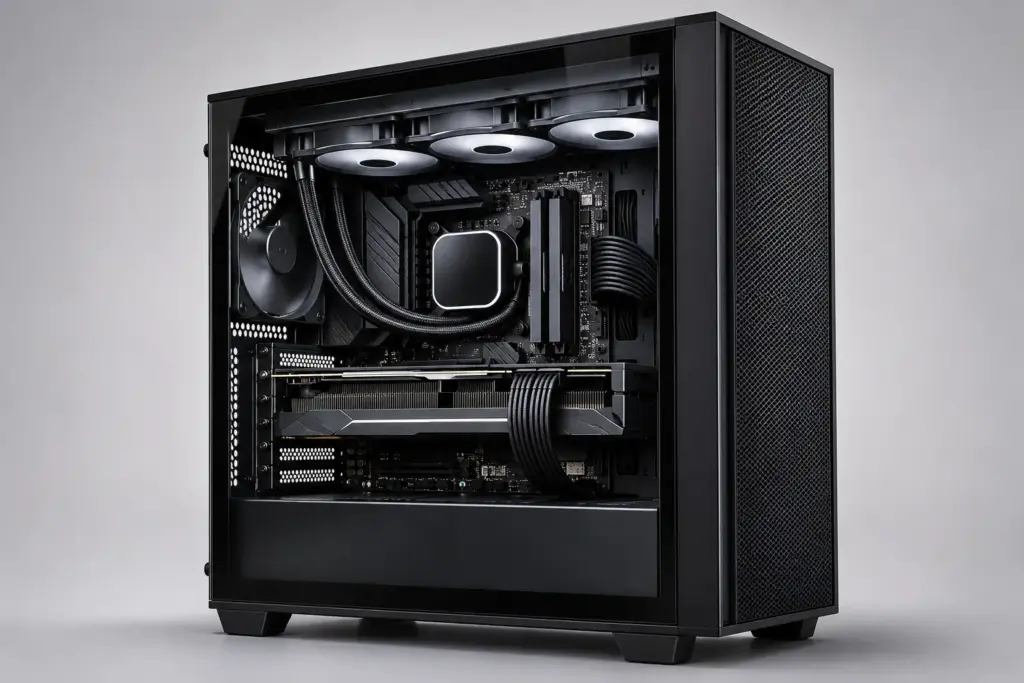
Case size affects the motherboard format, graphics-card clearance, radiator support, drive positions and airflow options. Decide whether you want a compact MicroATX build, a full-size ATX configuration or a particular visual design before selecting the remaining parts.
Cooling should match the processor and case. Options can include air cooling or an all-in-one liquid cooler where the selected case and configuration support it. Check radiator size, fan positions, cooler clearance and graphics-card dimensions together. Do not assume that a component will fit simply because it appears in the same product category.
Motherboard features also deserve attention. Compare the number of M.2 slots, memory support, USB connections, networking and expansion options with your intended use. A board such as the ASUS TUF GAMING B650M-PLUS WIFI illustrates why ATX and MicroATX should be considered as separate form-factor choices.
Check the power supply and component compatibility
The power supply must be suitable for the selected processor, graphics card and the rest of the system. Check its rated output, connectors and physical format against the configuration. The case, motherboard, cooler, memory, graphics card and storage should also be reviewed as one complete system.
Before adding a configured system to your basket, check:
- the processor platform and motherboard socket;
- the motherboard’s memory generation and selected RAM configuration;
- graphics-card clearance and required power connectors;
- cooler compatibility, case clearance and radiator support;
- storage interfaces and available M.2 or SATA positions;
- power-supply capacity, connectors and case format;
- the final price against your complete-system budget.
Build-your-own gaming PC or pre-built system?
A configurable PC is useful when you already know which parts matter to you or want to adjust a starting template. A pre-presented gaming PC can be a simpler route when you prefer to compare complete specifications rather than make every selection. This article focuses on the configuration process; the better route depends on how much control you want over the specification and how clearly you understand your requirements.
For UK shoppers, XDS provides an online route to configure AMD and Intel gaming PC templates. You can begin with an AMD performance template, an AMD X3D gaming template or an Intel Core Ultra gaming template, then review the available component choices before adding the configured system to your basket.
Final configuration checklist
A successful custom build is a balanced system, not simply a list of expensive parts. Start with the games, resolution and budget; choose the platform; select graphics and processor hardware together; then confirm memory, storage, case, cooling and power requirements. Finally, review the complete specification in the configurator and make sure it reflects how you will actually use the PC.
That approach helps you build your own gaming PC online with fewer avoidable compromises while keeping the decision focused on your games and workload.
Frequently asked questions
How do I choose parts for a build-your-own gaming PC?
Start with your games, monitor resolution, budget and any non-gaming workloads. Then choose a CPU platform, graphics card, memory, storage, case, cooling and power supply as one configuration, reviewing the displayed specifications before ordering.
Should I choose an AMD or Intel gaming PC?
Both AMD Ryzen and Intel Core platforms are available through configurable XDS gaming PC templates. Compare the processor range, motherboard features, memory support and wider workload requirements rather than assuming one platform suits everyone.
How much RAM and storage should a gaming PC have?
Choose memory according to your games, background applications and other workloads. Select storage capacity based on your game library, applications and files, and confirm that the selected M.2 or SATA drives match the motherboard and case.
Can I build my own gaming PC online in the UK?
XDS presents configurable AMD and Intel gaming PC templates that allow shoppers to review and adjust available component choices online before adding a system to the basket.
Is configuring a gaming PC better than buying a pre-built system?
Configuration gives you more control over the balance of components, while a pre-presented system can be simpler to compare. The better route depends on how much control you want over the specification and how clearly you understand your requirements.